Getting started
Prerequisites
- Python 3.12+
- Git (Required for VCS ignore scaffolding)
- uv (Highly recommended for sub-second dependency resolution, though
pipis supported as a fallback)
Installation
Protostar is designed to be installed globally as a standalone CLI tool.
Dependency Isolation (ignore if using brew or uv)
If you install Protostar into an existing Python environment with pip, it will bring in questionary and prompt_toolkit for the interactive TUI wizard. In rare cases, this can conflict with other tools that strictly pin prompt_toolkit versions (e.g., specific IPython or Jupyter stacks). For guaranteed isolation, prefer uv tool or Homebrew.
protostar init is designed to be executed immediately after you mkdir a new project directory. It offers two distinct operational modes: an interactive TUI for discovery, and a headless CLI for speed.
The Interactive Wizard
If you run protostar init without any arguments, it will launch an interactive Terminal User Interface (TUI). This wizard allows you to visually map out your languages, tools, and domain-specific presets using the spacebar—no CLI flag memorization required.

Headless Scaffolding
For rapid, repeatable initialization, you can bypass the TUI entirely by providing your desired environment matrix as CLI flags. Universal system workspace hygiene is automatically applied, and IDE settings are conditionally injected based on your global configuration and chosen language footprints.
What just happened? In a fraction of a second, Protostar:
- Initialized the repository and scaffolded the base directory structure (e.g.,
src/,tests/,data/). - Resolved and injected the scientific computing stack (
numpy,scipy,pandas,matplotlib) alongsidepytestinto your dependency manager (preferringuvif available). - Generated a strictly typed
pyproject.toml, injected a.markdownlint.yamlconfiguration, and safely deduplicated your.gitignorewithout overwriting existing entries.

Generating Boilerplate
While init handles the global repository architecture, the generate command handles repetitive, discrete file scaffolding.
This safely drops a TelemetryIngestor.hpp and TelemetryIngestor.cpp into your working directory with standard include guards and empty constructors, aborting safely if the files already exist.

Exploration & Help
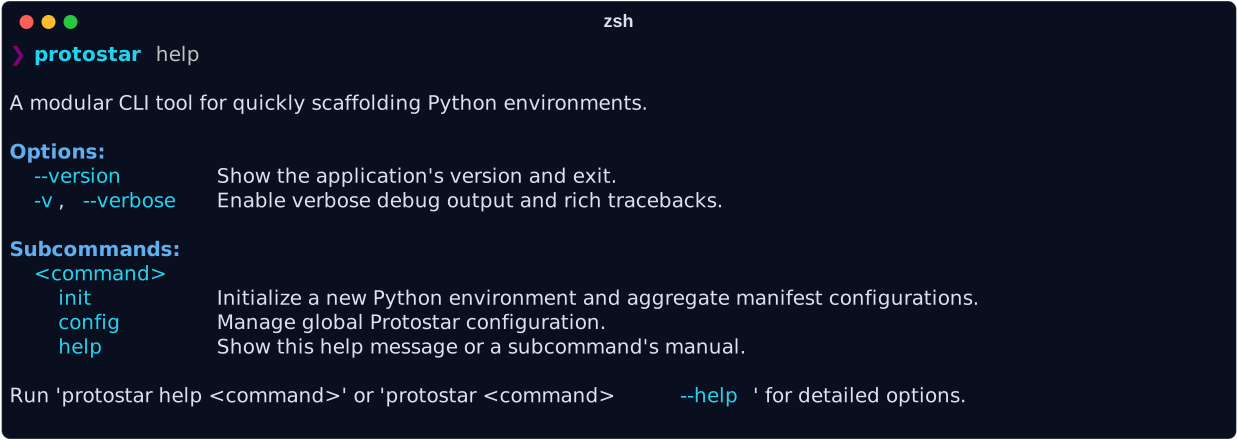
Protostar is self-documenting. You can view the full capabilities matrix and subcommand details directly from your terminal at any time.
Command-Specific Help
You can also get localized help for specific subcommands by running:
Shell Autocomplete & Aliasing
To speed up your workflow, you can enable CLI autocompletion and set up a shorter alias.
1. Enable Autocomplete
Protostar uses argcomplete for dynamic tab-completion. Install the CLI bindings globally matching the toolchain you used to install Protostar:
Path Resolution for uv
If using uv, ensure ~/.local/bin is exported in your system $PATH so your shell can resolve the register-python-argcomplete executable.
2. Set an Alias (Optional)
Because proto is a common namespace, Protostar does not commandeer it by default. If you want the keystroke savings, map it manually in your ~/.zshrc or ~/.bashrc:
Next Steps
With your accretion disk stabilized, you can dive deeper into Protostar's mechanics:
- Configuration: Learn how to set up global defaults (like your preferred Python version, dev dependencies, or custom ruff configuration) so you don't have to specify them every time.
- The Flags Matrix: Explore the full list of supported languages, tools, and domain presets.
- Architecture: Read how the Orchestrator guarantees idempotent disk operations without corrupting your existing files.